Food Hunt Game Online
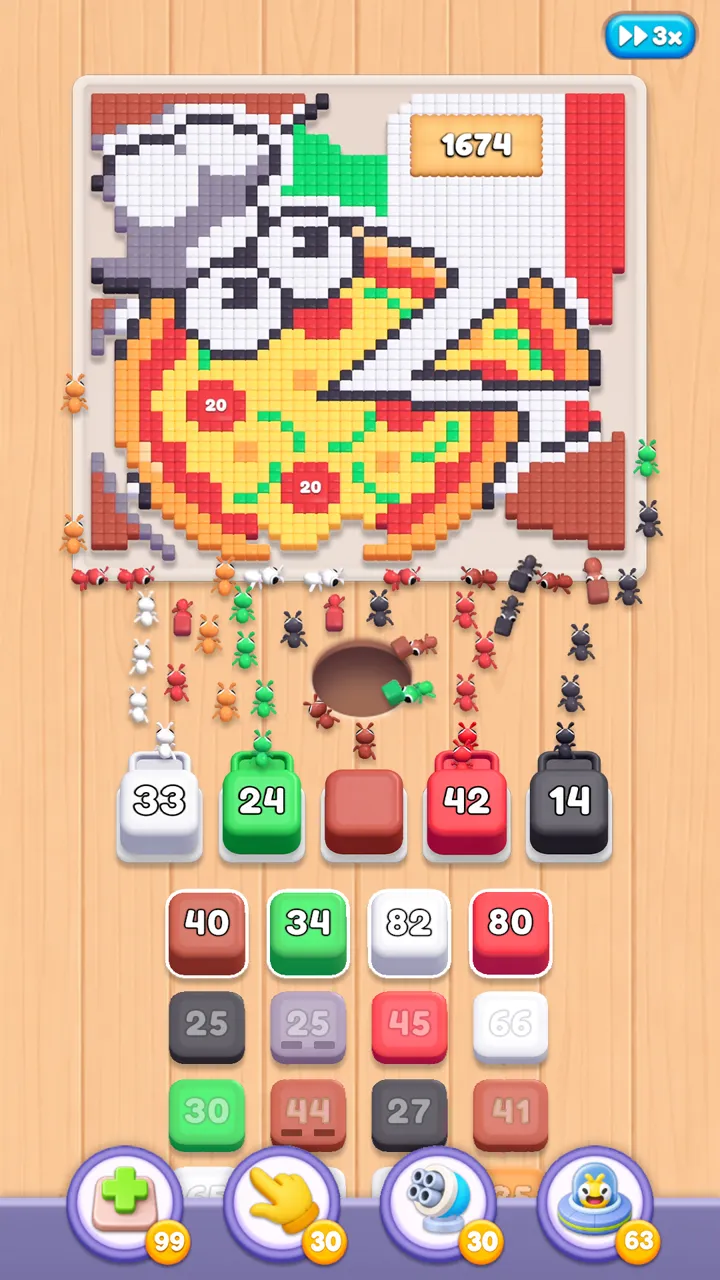
Food Hunt: Pixel Puzzle is offered as an installed app; this check found no official browser edition. The confirmed computer option is Google Play Games for PC, which installs the Android game on Windows. On a compatible Mac or iPad, Apple's listing provides another official route. None of these options turns the puzzle into a game that runs inside this webpage.
Ways to Play
Choose a route by the device you have, rather than by a search result promising instant play. The game itself is free to install, with advertising and optional purchases. A store page in a browser can open an installer or send the app to a device, but the page is not the playable board.
| Route | Device or requirement | Installation | Save transfer |
|---|---|---|---|
| Google Play | Compatible Android phone or tablet | Install from the mobile store. | Check the game's account and save options. |
| App Store | Compatible iPhone or iPad | Use Apple's regular app download. | Do not assume Android saves will transfer. |
| Google Play Games for PC | Windows 10 (v2004); 8 GB RAM; SSD with 10 GB free | Install the desktop service and the game. | The listing qualifies synchronization as potentially unavailable. |
| BlueStacks | A computer supported by the current emulator release | Install the emulator, then use Google Play inside it. | A shared sign-in alone does not confirm a restored save. |
| LDPlayer | A supported Windows computer | Install the emulator and check the game's Play listing. | Verify the actual progress before changing the phone copy. |
Why There Is No Browser Play Button
The official listings describe a downloadable mobile puzzle, and Google provides a separate PC service page. They do not point to an official web build. This check also did not find the FUNFINITY game offered as browser play on Poki or CrazyGames. That is a search finding, rather than proof that no future web release could ever appear.
Food Hunt is a generic enough name to appear beside unrelated food puzzles. Check for the complete title, FUNFINITY PTE. LTD, or its EVERFUN Play branding before treating a search result as the same game. Similar artwork alone cannot confirm a relationship to the original or access to its levels.
If you specifically need a game that starts without installing anything, these routes will not meet that need. Watching a walkthrough is still possible in your browser, and the level index opens here without installing Food Hunt. Playing the actual board requires one of the supported app environments.
Google Play Games for PC
The official Food Hunt PC listing explicitly offers Windows play. Google's stated minimums are Windows 10 (v2004), a processor with 4 physical cores, Intel UHD Graphics 630 or comparable, 8 GB memory, and 10 GB free on an SSD. The service also requires administrator access and enabled hardware virtualization.
- Open the official PC listing and follow Google's setup for Google Play Games.
- Sign in to the Google account you intend to use for the game.
- Search for Food Hunt: Pixel Puzzle inside the desktop service, or return through its direct listing.
- Install the offered game, launch it, and use the mouse for the taps the tutorial requests.
The larger display can make it easier to distinguish small pixel regions and queued box counters. It does not remove blocked slots or change the goal of clearing matching pixels. Follow the same board-specific solution you would on a phone, checking that the opening scene agrees with your screen.
BlueStacks and LDPlayer
These Android emulators are alternatives to Google's PC application. They provide an Android environment in a desktop window, where you can sign in to Google Play and search for the normal store release. Installing an emulator is separate from installing Food Hunt; neither step is browser play.
- Get the emulator from its own official website and check the requirements for that release.
- Complete setup, open Google Play in the emulator, and sign in when prompted.
- Find the correct Food Hunt package and let Google Play determine compatibility.
- If installation is offered, start the game and check how mouse input maps to a tap.
Use the current documentation from BlueStacks or LDPlayer. Emulator requirements vary by product version, so compare the requirements of the actual release you plan to install. This site has not run Food Hunt in either emulator, so compatibility and performance are not presented as tested results.
Begin with the confirmed Google route when your Windows computer meets its requirements. If that route is unavailable on your machine, evaluate an emulator using its actual compatibility check. Do not replace your working phone installation just to try a second way to play.
Mac and iPad
The App Store lists iPad support with iPadOS 15.0 or later. On a Mac, the same listing specifies macOS 12.0 or newer and Apple M1 or later. This is an Apple Silicon option: the listed Mac compatibility does not include an Intel processor.
The current BlueStacks Air page also identifies Apple Silicon as its target. A current working Intel Mac method was not confirmed. On an eligible Mac, first check whether the official App Store offers the game for your account and device.
Internet Access and Progress
Google Play categorizes Food Hunt as Offline. That supports playing the core levels without a live connection after installation. Downloading the app, receiving updates, and fetching optional reward advertising still require internet access. An offline label does not promise that every event or account feature behaves the same way without a network.
Google's PC page promotes cross-device synchronization with a footnote saying it might not be available for this game. Use the same Google account when evaluating Android-to-PC play, then check the actual level reached. No verified promise of Android-to-Apple transfer was found. Keep the original installation until you have confirmed any save you care about on the second device.
Find a Walkthrough After Setup
Once the game opens, select a matching guide: 100 has an Egyptian cat, 216 shows an anglerfish against colored stripes, and 261 features a seagull on a sign. The picture check keeps a familiar number from sending you to the wrong sequence.
The download guide covers store versions and installation failures. Read the slot-planning tips for help after a successful launch, or compare other color puzzles if you want a different game rather than another installation method.

Frequently Asked Questions
Can I play without downloading the app?
No official no-download edition was found. The confirmed routes install Food Hunt through a mobile store or Google's Windows service.
Is the FUNFINITY game on Poki or CrazyGames?
This check found no official browser listing for that game on those portals. A different food puzzle with a similar name is not evidence of a web edition.
What is the official way to play on Windows?
Open the dedicated Windows listing, set up Google Play Games on the computer, and use its compatibility check to install Food Hunt.
Does the puzzle need Wi-Fi while I play?
Its Google Play Offline label covers the basic level experience. Installation, app updates, and online advertising still need a connection.
Can an Intel Mac run the listed Apple version?
The App Store specifies an Apple M1 chip or later. An Intel Mac route was not confirmed, while eligible iPads can install the app directly.
Will my phone progress appear on the computer?
Do not assume it will. Google's own listing says synchronization may be unavailable for this game. Sign in consistently and verify the saved level before removing an existing copy.